
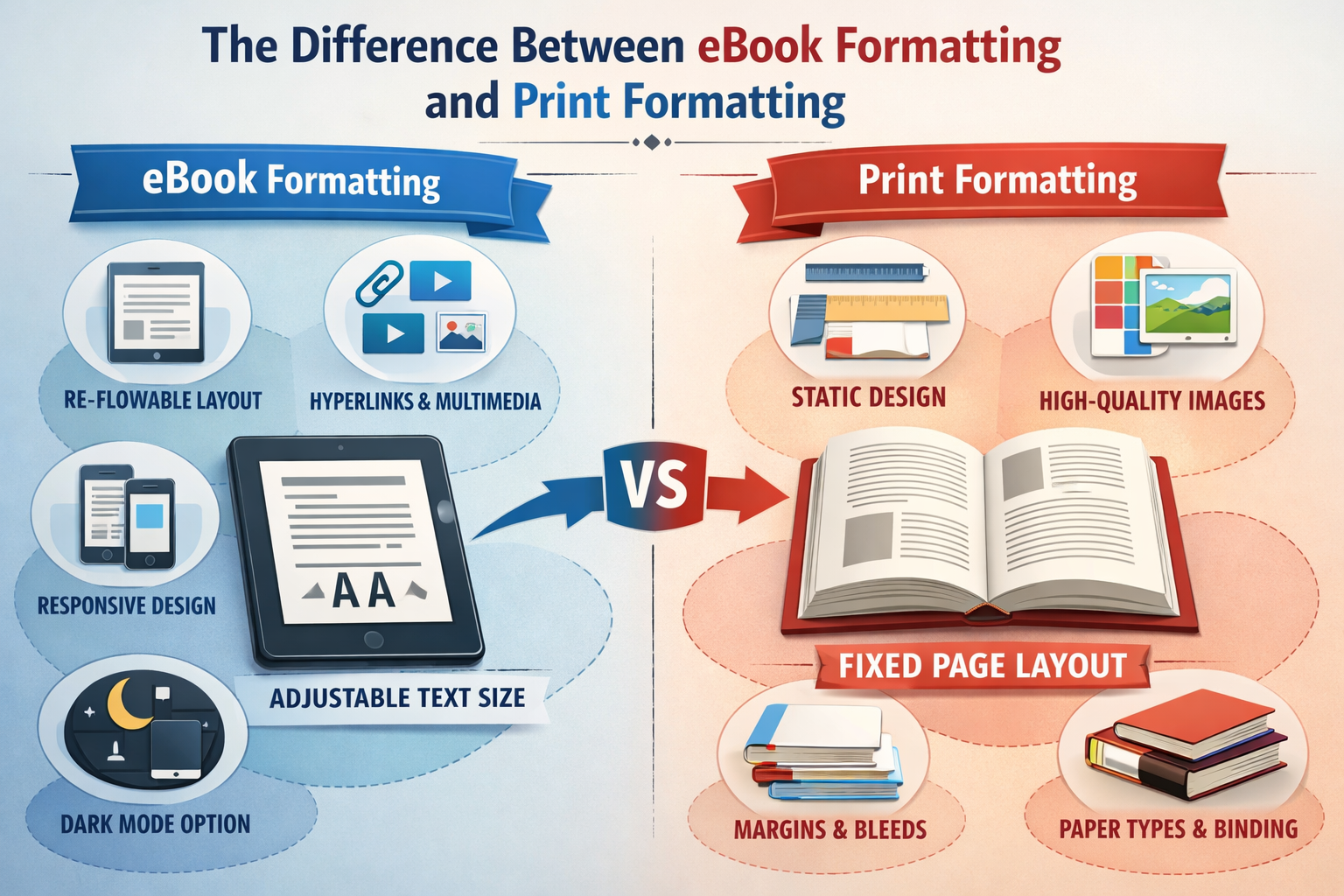
When it comes to publishing a book, formatting is one of the most important steps that ensures your book looks professional and is ready for the market. However, the formatting process differs significantly between eBooks and print books. While both require attention to detail and precision, the differences in device compatibility, layout design, and reader experience make each format unique.
In this blog post, we will explore the key differences between eBook formatting and print formatting, why these differences matter, and how you can ensure your book is formatted correctly for both formats.
1. The Basics: eBook vs. Print Book Formatting
At the core, the goal of eBook formatting and print book formatting is the same: to make your book visually appealing and easy to read. However, the way each format works varies.
- Print book formatting involves preparing your book for physical printing. This includes adjusting margins, fonts, headings, images, and chapter breaks to ensure that it looks good on paper.
- eBook formatting, on the other hand, is focused on making your book compatible with digital devices, such as Kindles, iPads, smartphones, and e-readers. The formatting must be responsive to various screen sizes and devices, meaning the layout adjusts automatically depending on the device being used.
2. Fixed vs. Fluid Layout
One of the most significant differences between eBook and print book formatting lies in the layout.
a. Print Formatting (Fixed Layout)
Print books have a fixed layout. Once formatted, the content remains in one static place on the page. The fonts, images, and margins are set, and the page breaks are fixed. The design is set to a specific size (usually 6×9 inches or another standard size), and every page will look the same in terms of layout, regardless of which device it’s viewed on.
- Margins and page breaks are fixed, meaning that every page in the printed version will look the same, no matter what.
- Images are positioned in specific places and do not adjust or resize based on the reader’s preferences.
b. eBook Formatting (Fluid Layout)
eBook formatting is fluid. This means that the content is reflowable, adjusting to fit the screen of different devices. Readers can change the font size, line spacing, and even background colors to customize the reading experience, so the text adjusts accordingly. This makes eBooks more flexible but also presents challenges for maintaining consistent design elements across devices.
- Text reflows: The text size, margins, and spacing adjust based on the reader’s preferences.
- Images must be scalable and flexible: They cannot be fixed in place; instead, they need to resize depending on the device.
3. Page Numbers, Chapter Breaks, and Headers
The layout of pages and chapter breaks varies significantly between print and eBooks.
a. Print Formatting
In print books, page numbers are essential, as they guide readers through the book in a linear fashion. Chapter breaks are fixed, and each chapter starts on a new page, creating a consistent flow that’s easy for readers to follow.
- Page numbers appear in the header or footer and are consistent across the book.
- Chapter titles and headings are typically set in large, bold fonts to separate them visually from the body text.
- Footnotes and endnotes are used for references, with readers able to look at additional information or citations.
b. eBook Formatting
In eBooks, page numbers are irrelevant because the text reflows based on the reader’s preferences, screen size, and device. As a result, the idea of a page doesn’t exist in the same way it does in print. Instead, the focus is on the chapter titles and sections.
- Chapter breaks are flexible, but they must still appear visually distinct so that readers can navigate the book easily.
- Hyperlinks: In eBooks, you can add hyperlinks to footnotes, endnotes, or other references, allowing readers to click and jump to a specific part of the book.
- Navigation: An interactive Table of Contents (TOC) is essential in eBooks for easy navigation. Readers can click on chapter titles or sections to jump directly to those pages.
4. Font and Typography
Font choices play a significant role in the readability of both print and eBooks, but the way fonts are handled in each format is very different.
a. Print Formatting
In print books, the font is fixed. Authors and designers choose the font and size that best suits the book’s design, and this remains consistent throughout the book. Common print fonts include Serif fonts like Times New Roman or Garamond, as these fonts are easier to read in print.
- Kerning, tracking, and line spacing are carefully adjusted in print to ensure legibility.
- The layout of the text on the page is consistent, with fixed fonts, margins, and line spacing.
b. eBook Formatting
In eBooks, fonts are dynamic. Readers have the option to adjust font size and style according to their preferences. eBook formatting must take this into account and use standard fonts like Georgia, Arial, or Times New Roman, which are widely supported across devices.
- Font size can be increased or decreased based on the reader’s preferences, so formatting needs to allow flexibility.
- Text scaling can affect how the layout appears, so proper line spacing and paragraph structure are crucial to ensure readability.
5. Images and Graphics
Images are handled differently in eBook formatting compared to print formatting.
a. Print Formatting
Images in print books are typically static and can be placed in specific spots within the layout. They can be high resolution and used as full-page spreads or embedded in the text. Print formats allow for complex layouts that involve both images and text working together seamlessly.
- Images in print need to be in high resolution (300 DPI) for clear, crisp printing.
b. eBook Formatting
In eBooks, images need to be more flexible and scalable. The image size should be optimized for digital reading, and it must resize according to the reader’s device. eBooks often use lower resolution images (72 DPI) to ensure fast loading times while still maintaining quality.
- Image placement: Images cannot be fixed in place, and they need to scale properly with the text.
- Compression: It’s important to compress images without losing quality to ensure that the eBook file size is not too large, which can slow down the download and reader experience.
6. Testing Your eBook Formatting Across Devices
One of the biggest challenges in eBook formatting is ensuring that your book looks good on multiple devices. Unlike print books, where you control the layout and page size, eBook formatting must be flexible to accommodate various screen sizes, from smartphones to tablets and e-readers like Kindle and Nook.
To ensure that your eBook formatting is successful, you must test it on multiple devices and platforms:
- Kindle and Nook devices
- Amazon Kindle app (for iOS and Android)
- Apple Books on iPhone or iPad
- Google Play Books on Android devices
Testing ensures that your book’s images, text, and formatting display well on all devices, providing a consistent reading experience for your audience.
7. Conclusion: Formatting for Success
Whether you’re creating a print book or an eBook, proper book formatting is essential to ensure your book is visually appealing and readable. While print books have a fixed layout, eBooks require flexibility, allowing the text to reflow across different devices. The formatting choices you make will influence the reader’s experience, so it’s important to ensure that your book is professionally formatted for the platform you’re publishing on.
At Book Planets, we specialize in professional book formatting for both print and eBooks, ensuring your book looks great, whether it’s being read on paper or on a digital device. If you need help formatting your book for publication, contact us today for expert assistance.
FAQs
- What is the difference between eBook formatting and print formatting?
- eBook formatting involves preparing your book for digital devices, ensuring it is compatible with various platforms, while print formatting focuses on preparing the book for physical printing, with fixed page layouts and designs.
- Why is eBook formatting so important?
- eBook formatting ensures that your book is readable on different screen sizes, that it displays correctly, and that the reader experience is optimal across devices.
- Can I format my eBook myself?
- Yes, there are several DIY tools available, like Scrivener, Calibre, or Kindle Create, that can help you format your eBook. However, if you’re aiming for professional quality, it’s often worth investing in a professional formatting service.
- How do I choose the right format for my eBook?
- The two most common formats are EPUB (for most devices) and MOBI (for Amazon Kindle). Ensure that your eBook is formatted to be compatible with the platform you’re distributing through.
- How much does eBook formatting cost?
- eBook formatting typically costs between $50 and $200, depending on the complexity and length of your book. If you’re self-publishing, it’s important to budget for professional formatting to ensure your book looks its best.